
Plan loss prevention at exits.
Explore RFID checks for protected items at defined exits, with a clear staff response to exceptions.
Example scenario
Protected items at a store exit
Every protected item carries a tag. At checkout the sale is recorded; at the exit, only items that were not sold raise an alert.
How it works
The sale is recorded
At checkout, the POS marks each tagged item as sold, so it can leave the store.
Exit antennas read the tag
Antennas at the exit read every tag that passes; the fixed reader reports each read.
DERAS checks the item
DERAS compares each read with the sold and authorized list and ignores tags on nearby shelves, so only unsold items count.
Staff respond, and it is logged
The staff device receives the item and time within moments, and the event is logged for review in your sales and inventory system.
Hardware in this scenario
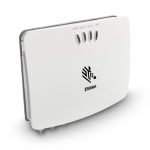 Zebra FX7500Fixed reader for the exit antennas.View
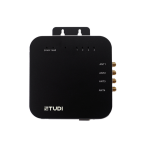 Chainway UR4Compact four-port reader for one exit.View
 Zebra TC22Staff device that receives the exit alert.View
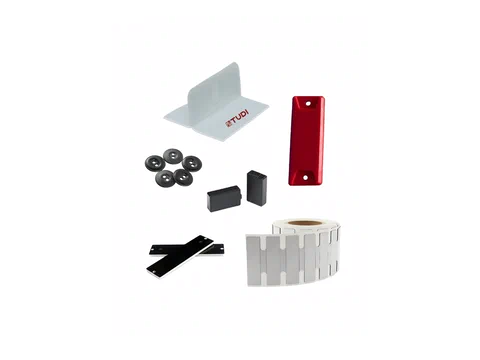 RFID labels & tagsTags chosen for each product and surface.View
An illustrative scenario, not a customer deployment. Devices, events and connections to your systems are agreed for each project.
Technical example: data and integration

This is an illustrative flow. Device support, event fields and connections must be confirmed for your project.
Possible DERAS role
- Checks exit reads against sold and authorized items
- Filters tags read from nearby shelves
- Alerts the staff device with the item and time
- Logs every exception for later review
Illustrative events
rfid.tag_read{"reader":"FX7500-DEMO","antenna":1,"rssi":-52}exit.unpaid_item{"epc":"…18A4F","product":"DEMO-JKT-M","door":"Main"}alert.sent{"to":"TC22-DEMO","status":"delivered"}
Agree the event format, delivery method and system interface during project scoping.
Check before a pilot
- Hardware
- Choose tags and readers for your materials, site and process. Explore options
- Integration
- Agree data mapping and interfaces; confirm device support and DERAS outputs.
- Validation
- Test real items, read zones, repeated reads and exceptions at your site.
Start with what you need.
Discuss an operational challenge, or send the model and quantity you need.